Webscraping Manhwa Sites Using Scrapling
Motivation
One day I was on Github’s trending repository page and I saw Scrapling as Python’s #1 trending repository for the month.
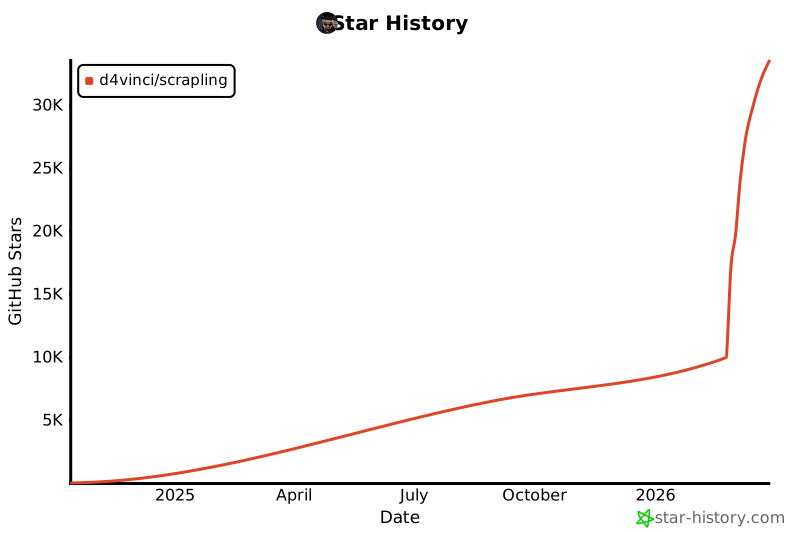
It was Spring break, and I wanted to build something for fun. Recently, I’ve gotten into reading manhwas and wanted a way to be able to download and view them offline for a future plane ride. This was my first time web scraping, and there weren’t any tutorials on Youtube, so I jumped head first by reading documentation and coding immediately.
Intial ideas
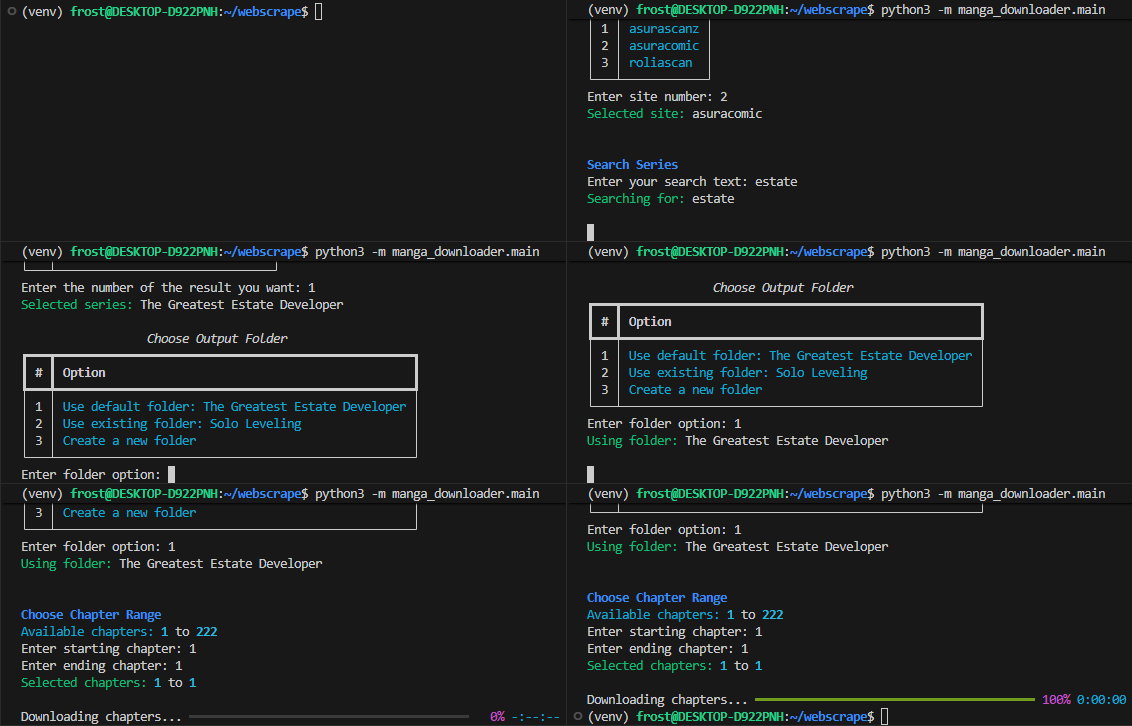
The goal of this project was to build a multi-site scraper that could:
- Query relevant titles
- Select a desired title
- Enter a range of chapters to download
- Extract the images
- Save the output in PDF
Parsing data for one site (example)
For every site I worked on, working backwards through the process above made the most sense. Scraping image data was the limiting factor in this project; it’s better to know early if you can’t scrape the data rather than later. Let’s take a look at some HTML
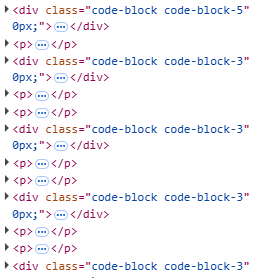
Taking a look at this HTML, it’s easy to see the repeating div elements that probably hold the image data.

After expanding the p elements, note the src url for the image. Obtaining a list of all urls is very simple using Scrapling.
1
2
3
def parse_chapter():
    links = page.css('p img[src*=image]')
    return [link.attrib['src'] for link in links]
After fetching these urls and obtaining the byte data directly, use Pillow to create the images and immediately save as a pdf. This is better than saving each image individually to disk and creating a pdf, because we already have the data in-memory.
1
2
3
4
5
6
7
8
9
10
11
12
13
14
def save_pdf(raw_images: list[bytes], chapter: int, output_folder: Path):
    chapter = str(chapter)
    output_folder.mkdir(parents=True, exist_ok=True)
    pdf_path = output_folder / f"chapter{chapter}.pdf"

    images = [Image.open(BytesIO(b)).convert("RGB") for b in raw_images]

    images[0].save(
        pdf_path,
        save_all=True,
        append_images=images[1:]
    )

    return pdf_path
After getting a working implementation of parsing one chapter, implementing logic to find the latest chapter was necessary. This would allow users to specify a range of available chapters they would like to download.
On the home page of the manhwa, there is usually a section for the latest chapter.
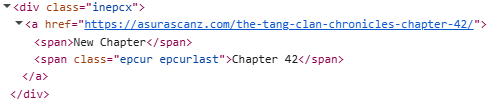
1
2
3
4
def parse_limit(page: Response):
    result = page.css("span.epcur.epcurlast").get()
    match = re.search(r"\d+", str(result))
    return int(match.group())
Ok, with a bit of logic surrounding the url, users can now download from a range of chapters, they still need to provide a url. Implementing a search function for the site is the next step to resolve this. Take a look at this HTML after a search query.
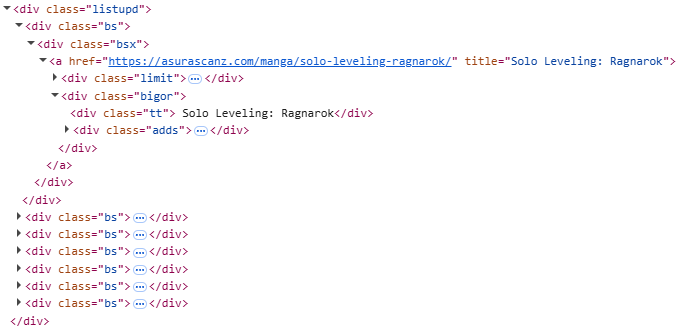
Capturing the manhwa’s title and chapter is necessary so users can see the results of their query.
1
2
3
4
5
6
7
8
def parse_search_page(page: Response):
    links = page.css("div.bsx a")
    urls = [link.attrib['href'] for link in links]

    links = page.css("div.tt")
    titles = [link.text for link in links]

    return list(zip(titles, urls))
Now, we have all the data we need!
Note
Obtaining data isn’t the only thing necessary for an app like this. This post simply encapsulated the parsing part of my project, but there were many challenges on different sites, including:
- Cloudflare and anti-bot protections
- Session cookies and custom headers
- Parsing web frameworks (ex. Astro)
- Creating a intuitive CLI
Not to mention using Scrapling on a whim…
End product
Take a look here for detailed install instructions and code.